
Report Card Explorer
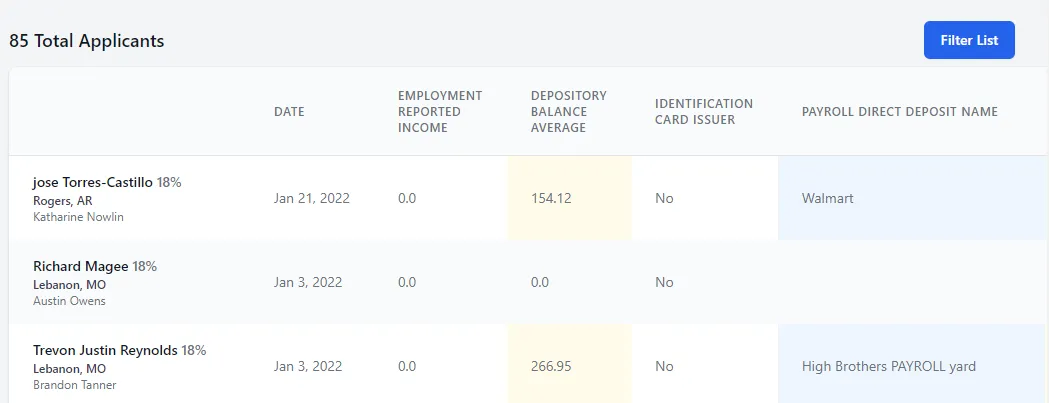
The Report Card Explorer provides a table of all applicants for the chosen time frame and a listing of their report card elements. This enables you to see the applicant factors received across all applicants.
You are able to view the data in whatever filtered version you prefer via the Filter List button to the top right.
 When you click Filter List, you’re given a drop down of all Report Card elements that you can choose to include in your filter and any variables related to them. This can create a curated list of applicants to view how different applicant requirements could effect your sales outcomes.
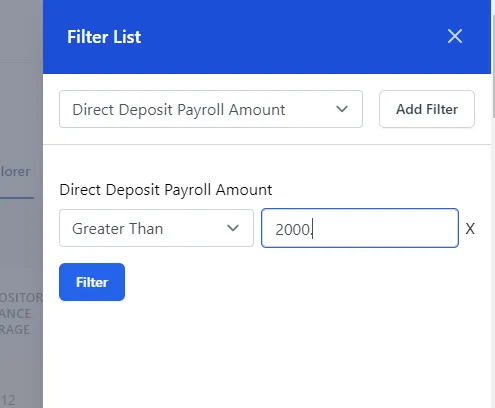
Once you’ve listed all desired filters, click Filter button to view the updated applicant list.