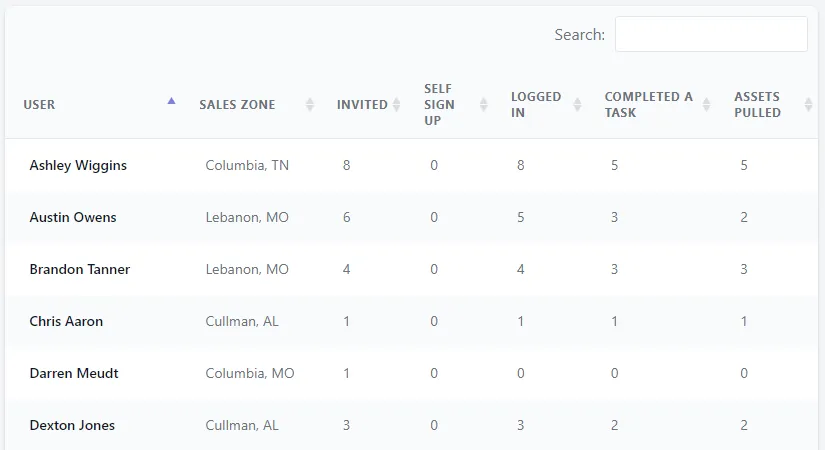
Conversions Users
The Users Conversions report view includes the following elements:
1. Markets filter
Section titled “1. Markets filter”Click in the drop down list showing “All Markets” to view a complete list of your Sales Zones. Choose the Sales Zone that you’d like to view a user metrics table specific to and click the Filter button.

2. Key metrics modules
Section titled “2. Key metrics modules”Carries over the key metrics for conversions for easy reference.

3. User metrics table
Section titled “3. User metrics table”Table of all users in your Approve Owl to review their activity and usage. You can use the Search box at the top right to find a specific user. Each column data point can be hovered over to view a short description of what the column’s data represents.