
Invite Customer to Approve Owl
Go to your Approve Owl dashboard at dashboard.approveowl.com
Click the “Invite +” button at the top right of the screen.

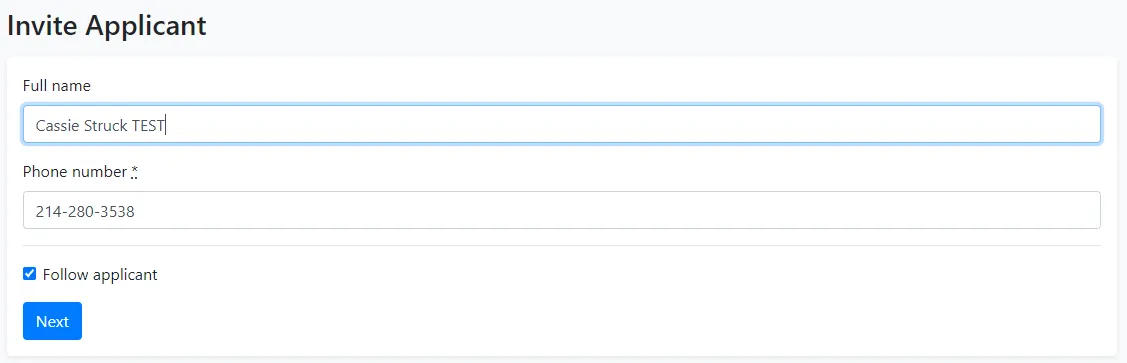
Input the customer’s name and cell phone number, then click “Next” button at the bottom left. By checking the “Follow applicant” box, you will automatically be set to Follow that applicant within your Approve Owl dashboard.
You’ll then see a verification screen displaying the number the invite SMS will be sent to and the text that will be contained in the SMS.
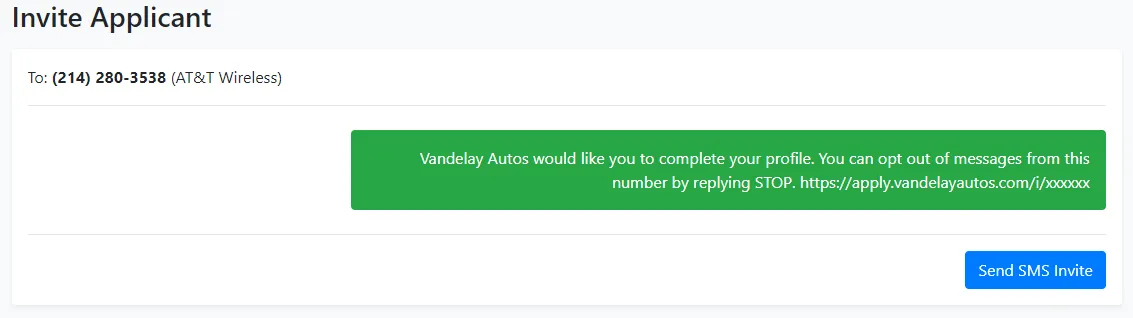
Upon clicking “Send SMS Invite”, the customer will receive a text message with a link to begin creating their profile, uploading any documentation and/or linking their bank account.
Customers can also initiate the Approve Owl process on their own by visiting your organization’s Approve Owl landing page. If you do not know your customer facing landing page for self-service initiation of the Approve Owl process, please reach out to your supervisor or Approve Owl account manager.