Dealership Dashboard Page
The Dealership Dashboard features the following information, top to bottom, left to right.
1. Search bar:
Section titled “1. Search bar:”To find an applicant in Approve Owl, you can choose to enter their Name or Phone Number in the search bar. Input your search criteria to the box. Click “Search” button to the right.

2. Weekly metrics modules:
Section titled “2. Weekly metrics modules:”These four boxes provide a quick read on activity in Approve Owl for the week. Left to right:

Box 1 - Invites: Number of applicant invites sent this week and the percent difference from the previous week.
Box 2 - Visitors: Anonymous people who ended up on the Approve Owl landing page and the percent difference from the previous week.
Box 3 - Applicants: Potential customers who have started the application process in Approve Owl this week and the percent difference from the previous week.
Box 4 - Asset Reports: Number of asset reports / bank data pulls for this week and the percent difference from the previous week.
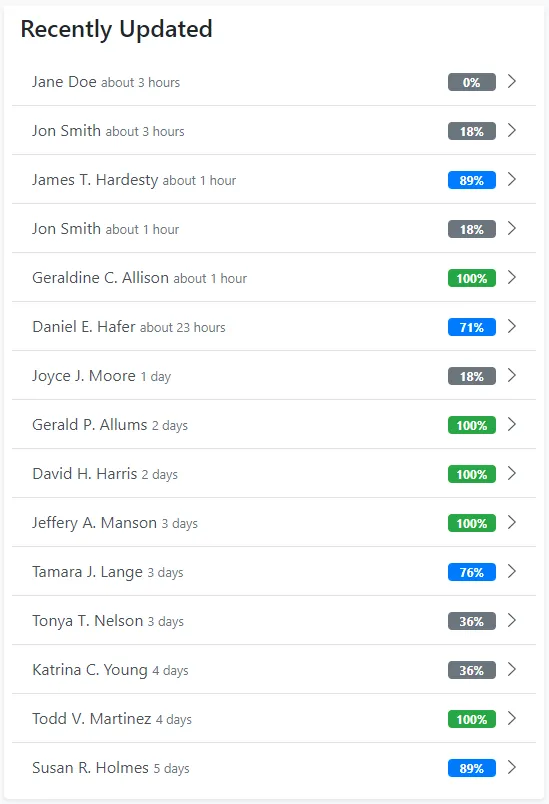
3. Applicant Stats module:
Section titled “3. Applicant Stats module:”To view the applicants within each classification, click on the classification you’re interested in. From there, a listing of applicants in that classification will be shown. The parameters for each classification are as follows:
New Today are applicant profiles that were created today.
Not Followedare applicants currently followed by 0 users.
No Activity Today are applicants that have not made an update to their profile in Approve Owl today.
Active Todayare applicants that have made an update to their profile in Approve Owl today.
Never Logged In are applicants who were invited to Approve Owl but have never logged in to Approve Owl to take an action.
New This Week are applicant profiles that werecreated less than 7 days ago.
Missing Info are applicant profiles that are less than 25% completed and created less than 31 days ago.
Mostly Complete applicants aremore than 70% completed with their Approve Owl profile and were created less than 31 days ago.
Assets Ready are applicant’s whos assets are ready to be pulled. These are applicants who have linked their bank account and their bank assets are ready for pulling in Approve Owl.
Ready for Review applicant’s assets have been pulled (bank link data pulled in to their profile) and their profile was created less than 31 days ago.
Expiring Soon applicants were updated more than 60 days ago.
Not in a Sales Zone applicants are those who, if you utilize Sales Zones in Approve Owl, have not been assigned to a Sales Zone.
4. Assets Ready module:
Section titled “4. Assets Ready module:”This module is a listing of applicants who have linked their bank account and their bank assets are ready for pulling in Approve Owl.

5. Appointments module:
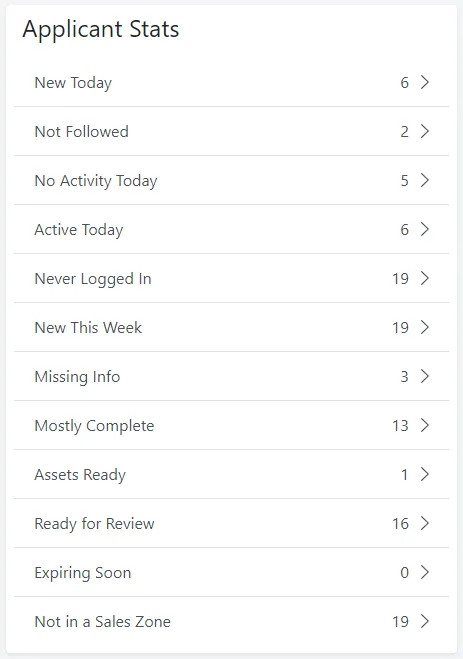
Section titled “5. Appointments module:”Shows all appointments for the dealership in a two-week view.
6. Most Active Users module:
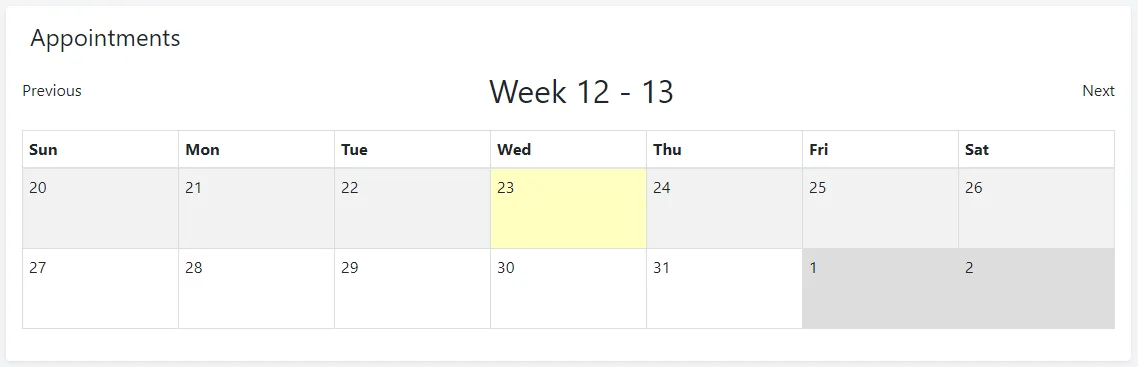
Section titled “6. Most Active Users module:”This module lists out the members of your team in Approve Owl that are most active in the platform and their basic weekly activity stats. This section can be a simple way to gamify the Approve Owl platform, having sales people compete weekly.
7. Recently Updated module:
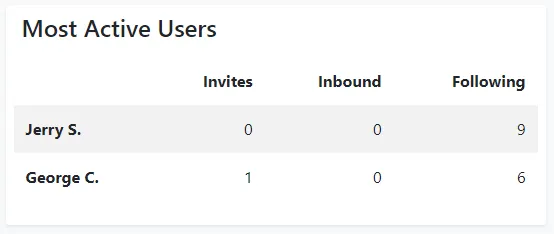
Section titled “7. Recently Updated module:”Listing of the 15 most recently active applicant profiles in Approve Owl.