Applicant Identity
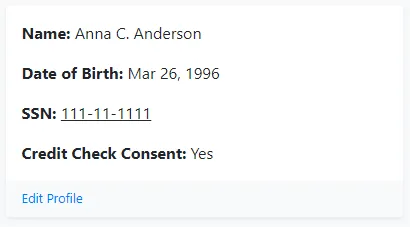
1. Profile Information module:
Section titled “1. Profile Information module:”This module provides the basic identifying information provided by the applicant.
“Edit Profile” allows you to update the applicant’s name, SSN or date of birth.
2. Identity Risk Assessment module:
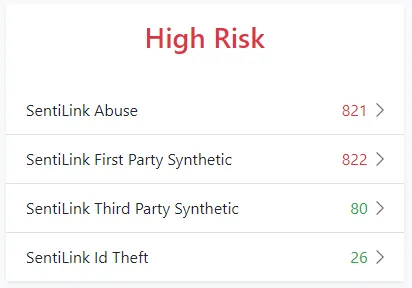
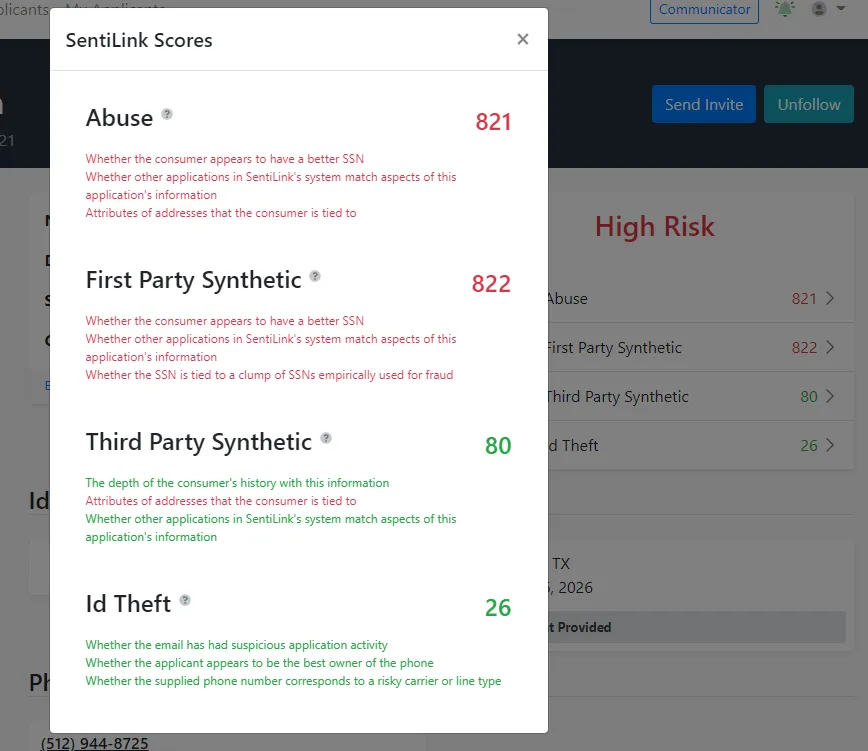
Section titled “2. Identity Risk Assessment module:”This module provides risk scores in 4 areas of analysis, listed below, using the basic identity information that the applicant provides to Approve Owl. The 4 SentiLink areas are helpful for SSN validation and ID theft probability assessment. Each of the categories is scored on a scale of 0 to 1,000. If you click on any of the 4 analysis areas in the applicant’s profile, a pop-up with additional information will be displayed.
The definition for how each score is determined is available in tool tips within the pop-up, and as follows:
1. Abuse: A composite synthetic fraud score indicates the likelihood an applicant is synthetic.
2. First Party Synthetic: Detects applicants using their true name and date of birth, but an SSN that doesn’t belong to them. They are manipulating their true identity.
**3. Third Party Synthetic:**Identifies applicants using a name, date of birth and SSN combination that is completely fabricated.
**4. ID Theft:**Identifies traditional forms of ID Theft as well as emerging fraud vectors.
3. Identification Card module:
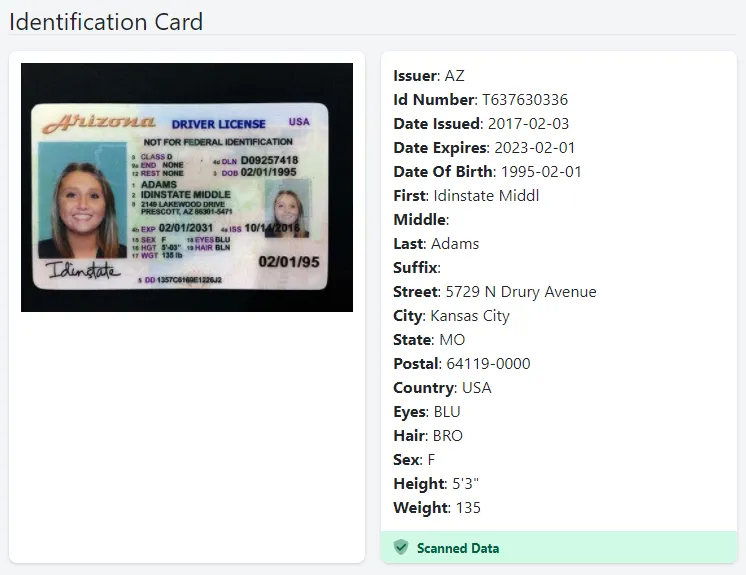
Section titled “3. Identification Card module:”On the left, if the applicant has uploaded a picture(s) of their identification card/drivers license, it will be viewable here.
On the right, the applicant’s ID number, ID state, and ID expiration date is listed.
If you have signed up for the Advanced ID Protection Package, we will scan the barcode on the back of the applicant’s ID and provide the state provided PII data to the right of the applicant’s ID image. This is indicated by the “Scanned Data” green bar at the bottom of the applicant’s ID data.
4. Phone Numbers module:
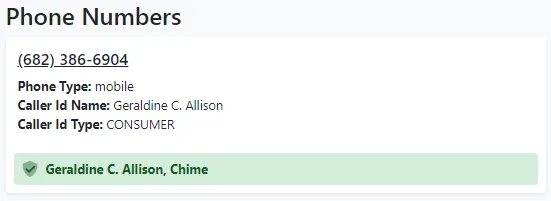
Section titled “4. Phone Numbers module:”This module lists all phone numbers for the applicant. The green bar below each phone number listing indicates if the phone number matches that provided by the applicant and lists their name (Geraldine in this example), and/or if it matches the number on file with their bank and lists the bank that the number was verified with (Chime in this example).
5. Addresses module:
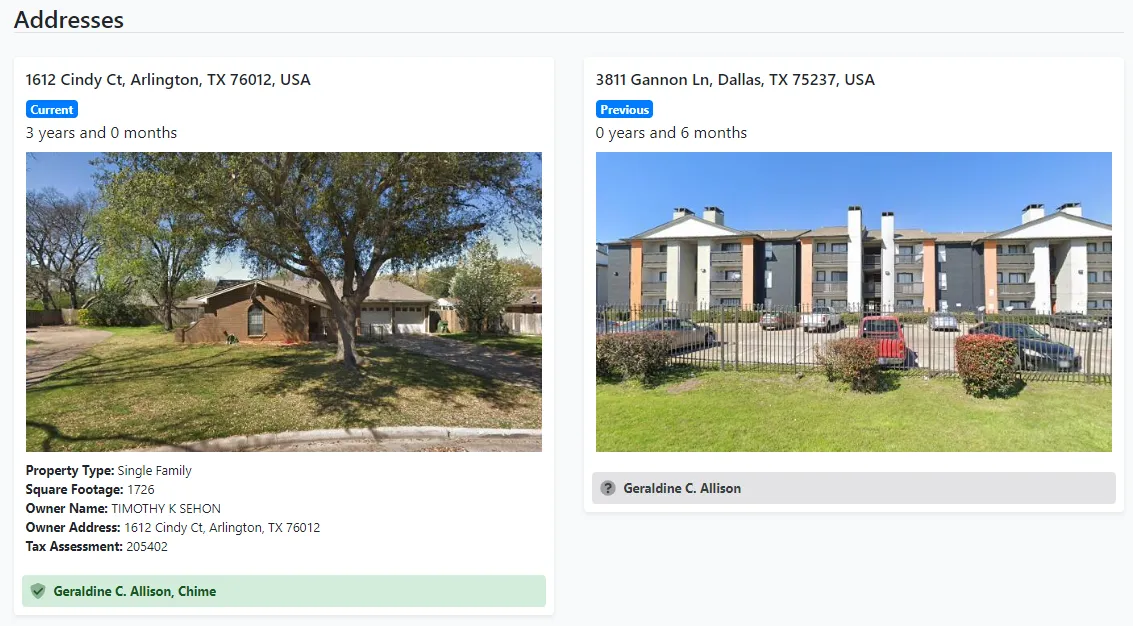
Section titled “5. Addresses module:”This module lists provided current and previous places of residence for the applicant.
Each address listing includes: address, whether it is the current place of residence or previous, duration of residence, an image of the address provided, and if available additional details regarding the residence.
The additional information below the location’s image is pulled from tax records.
The green or grey bar at the bottom of the residence listing indicates if the applicant and/or bank have verified that particular residence as being on file for the applicant.
6. Emails module:
Section titled “6. Emails module:”This module lists out the email addresses available for the applicant. The green or grey bar at the bottom of the residence listing indicates if the applicant and/or bank have verified that particular email address as being on file for the applicant. If the bank has an email address on file that the applicant did not provide, it will feed in to the applicant’s profile and note only the bank’s name in the bar beneath the address, as in the email example to the right in the image below.

7. Names module:
Section titled “7. Names module:”This module lists the name on the applicant’s bank account(s). The green or grey bar beneath the name indicates if the applicant and/or bank have verified that name as being on file for the applicant with the bank account that has been linked.
If the applicant has additional users on file for the linked account or a small business dba name on file for the account, the bank will provide the additional names in the listing here.
8. References module:
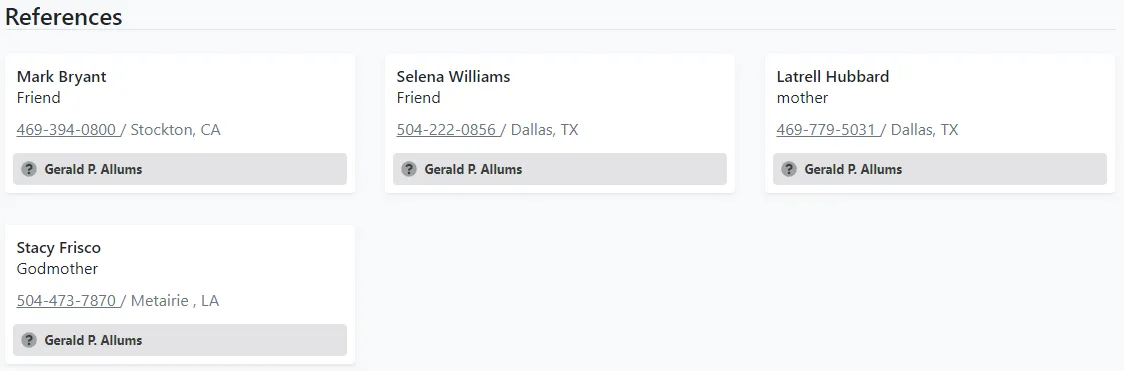
Section titled “8. References module:”This module lists the references provided by the applicant. For each reference provided, the applicant provides their name, who that reference is in relation to the applicant (ex: friend), contact phone number and location.